 Sheetsmith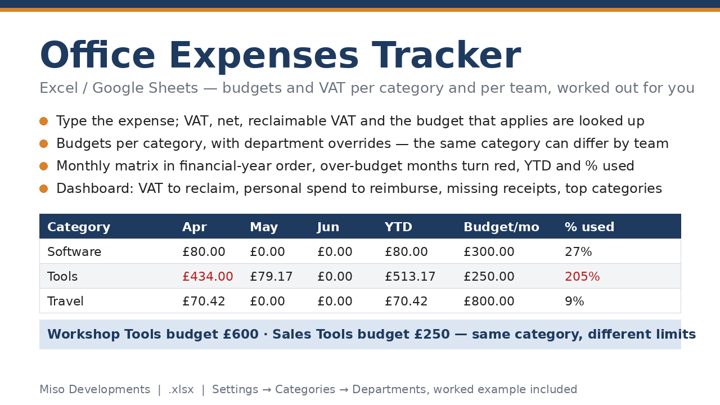
Gross, net and reclaimable VAT
Receipts show the gross amount — what left your bank. If you are VAT registered, part of that is VAT you paid to the supplier, and for most business purchases you can reclaim it on your VAT return. The net figure is the real cost to the business. The calculator separates the two using the rate you choose, and adds up the reclaimable VAT for the categories you mark as reclaimable. If you are not VAT registered, VAT is simply part of the cost and the calculator leaves it in.
Two common exceptions are built in as defaults: business entertaining (client lunches, hospitality) is generally blocked for VAT recovery, and mileage paid at the approved rate has only a small fuel element you can reclaim, so it is set to No. Staff entertaining, by contrast, is usually recoverable — change the setting per category to match your situation.
Budgets and the months setting
Budgets are per month. If you are looking at a quarter's spend, set months to 3 and the budget column is multiplied accordingly, so a £300 monthly software budget becomes £900 for the period. A category shows red when gross spend exceeds that figure; the "over budget by" total adds up only the excess, so you can see how much a few categories are dragging the whole period over.
Typical office categories
Stationery and consumables, software and subscriptions, telephone and internet, travel, mileage, postage, utilities, equipment and tools, training, entertaining, and professional fees. Keep categories broad enough that every receipt obviously belongs somewhere; if you find yourself with an "other" line that keeps growing, split it.
Questions
Which VAT can't I reclaim?
Business entertaining is generally blocked, and mileage at the approved rate has only a small fuel element. Staff entertaining is usually recoverable.
What does the months setting do?
It multiplies each monthly budget so you can compare a quarter or a year of spend against budget.
Do I need to be VAT registered?
No — switch it off and the calculator treats the gross amount as the final cost.